

Use the design, not a slideshow#
Try the app’s controls.
This sandbox uses the supplied app design. Do not enter real profiles, passwords or server details.
Try a connection state
Explore the app
Example data only. No real VPN traffic.
Read the app workflow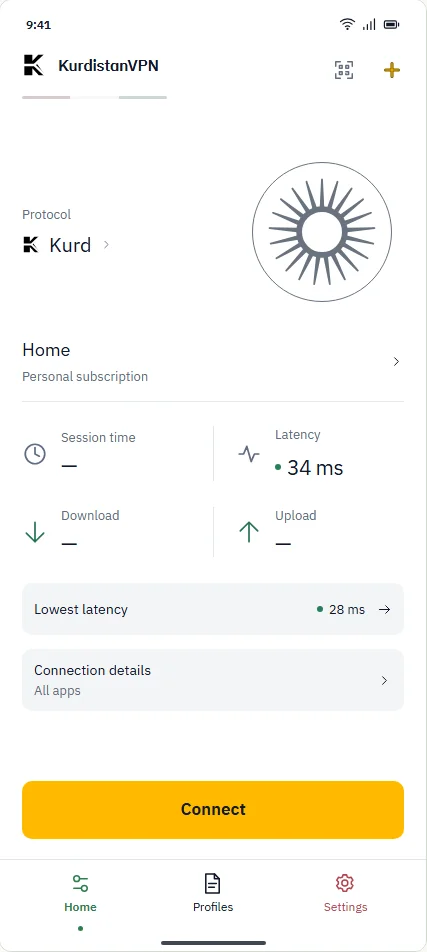
A distinct job for each destination#
| Destination | Its job |
|---|---|
| Home | See the connection state, selected profile and the next connection action. |
| Profiles | Find, group, inspect and select profiles. There is no connection toggle on the Profiles page. |
| Settings | Configure the interface and inspect connection, privacy and recovery boundaries. |
| Grandma Mode | See one clear state, one obvious action and persistent Home / Help / Settings navigation. |
Important choices are not hidden#
Import preview, fingerprint comparison and confirmation are separate steps. An unusable profile gets a reason and a next action—not a cosmetic “secure” badge.
Grandma Mode demonstrates a simpler interface.Engineering / design previewView evidence
- What this means
- Large text, fewer choices and guided help offer another view of the same connection model.
- How the design works
- The supplied design prototype contains Home / Help / Settings and explicit setup and recovery steps.
- The limit
- This is design-prototype evidence, not proof that this exact experience ships in an available APK. Translation review and real-user studies remain necessary.
src/prototype/app.htmlReviewed . Source code alone is not release qualification.
Source and scope
Reviewed . The linked source describes the implementation; released-build evidence is a separate check.